
It’s 11 PM on a Sunday. You’ve just realized you have three essays due by Thursday, a lab report to finish, and a part-time shift at the campus café tomorrow morning. Your brain feels like it’s buffering, stuck between panic and paralysis. Sound familiar? If you’re studying in the UK, this isn’t an anomaly; it’s a weekly ritual. The difference between students who thrive and those who burn out often comes down to one thing: how they structure their week before it starts.
Weekly planning is the practice of organizing tasks, lectures, and personal commitments into a structured schedule ahead of time. It’s not about rigidly controlling every minute of your life. It’s about reducing decision fatigue so you can actually focus when it counts. For UK students juggling tight deadlines, independent research expectations, and social lives, a solid plan is the only way to keep stress manageable.
Why Generic To-Do Lists Fail UK Students
You might think a simple to-do list is enough. Write down "write essay," check it off when done. But here’s the problem: a to-do list tells you what to do, but not when or how long. In a UK university setting, where contact hours (lectures and seminars) are often limited compared to US models, the bulk of your learning happens during independent study. Without specific time slots, "write essay" becomes a vague cloud of dread that gets pushed until the last possible second.
This lack of temporal structure leads to two major issues:
- The Planning Fallacy: We consistently underestimate how long tasks take. A reading assignment that seems like "an hour" often takes three once you factor in note-taking and reflection.
- Context Switching Costs: Trying to fit work around unpredictable free time means you constantly start and stop. Research suggests it takes about 23 minutes to regain deep focus after an interruption. If you’re jumping between emails, snacks, and half-hearted reading, you’re never truly productive.
Time-blocking solves this by assigning specific windows of time to specific tasks. Instead of "write essay," your schedule says "Draft Introduction: 2:00 PM - 3:30 PM." This shifts your mindset from open-ended worry to bounded action.
The Core Components of a Student Weekly Plan
A effective weekly plan for a UK student isn’t just a calendar. It’s a system that balances four distinct categories of time. Ignoring any one of these leads to imbalance and eventual crash.
| Category | Description | Typical UK Student Allocation | Risk if Neglected |
|---|---|---|---|
| Contact Hours | Lectures, seminars, labs, tutorials. | 6-12 hours/week | Missing key info, falling behind on reading lists. |
| Deep Work | Focused study blocks for essays, coding, or revision. | 15-20 hours/week | Procrastination, low-quality submissions. |
| Life Admin | Commuting, meals, laundry, bills, email checks. | 10-15 hours/week | Chaos, forgotten deadlines, financial stress. |
| Rest & Social | Sleep, exercise, hobbies, hanging out with friends. | Remaining ~40+ hours | Burnout, isolation, mental health decline. |
Notice the emphasis on Deep Work. Many students mistakenly believe that because they aren’t in class, they should be studying all the time. That’s unsustainable. By explicitly scheduling rest and admin, you protect your energy for the high-value study blocks.
Step-by-Step: Building Your Weekly Template
Don’t try to build a perfect system overnight. Start with a simple template that you can adjust as you go. Here’s a proven method used by many successful undergraduates and postgraduates.
1. The Sunday Reset
Set aside 30 minutes on Sunday evening or Monday morning. This is your non-negotiable planning window. During this time, you’ll look at the upcoming week’s demands.
- List Fixed Commitments: Block out all lectures, seminars, and work shifts first. These are immovable objects.
- Identify Deadlines: Check your virtual learning environment (VLE) like Canvas, Blackboard, or Moodle. Note any submission dates within the next 7-10 days.
- Break Down Large Tasks: Don’t write "Revise Module X." Break it into smaller chunks: "Read Chapter 4," "Summarize Lecture 3 notes," "Practice past paper question 2."
2. Apply Time-Blocking Logic
Now, fill in the gaps. Use color-coding if you use digital calendars (like Google Calendar or Outlook) or different pen colors for paper planners.
- Morning Blocks (9 AM - 12 PM): Reserve these for your hardest cognitive tasks. Writing essays, solving complex problems, or learning new concepts usually require peak mental clarity.
- Afternoon Blocks (1 PM - 4 PM): Good for lighter tasks like reviewing notes, organizing files, or group project coordination. Energy levels naturally dip here, so don’t schedule your toughest thesis chapter analysis at 3 PM unless you’re a night owl.
- Evening Blocks (5 PM onwards): Keep these flexible. Use them for catch-up, socializing, or relaxation. If you must study, keep it light-flashcards or video lectures.
3. Include Buffer Zones
Things go wrong. Your laptop crashes, your flatmate needs help moving, or you simply get sick. If you pack every hour with tasks, one disruption ruins the whole week. Leave at least one 2-hour buffer block per day, preferably late afternoon or early evening, to handle overflow. If nothing goes wrong, you get extra free time. Win-win.
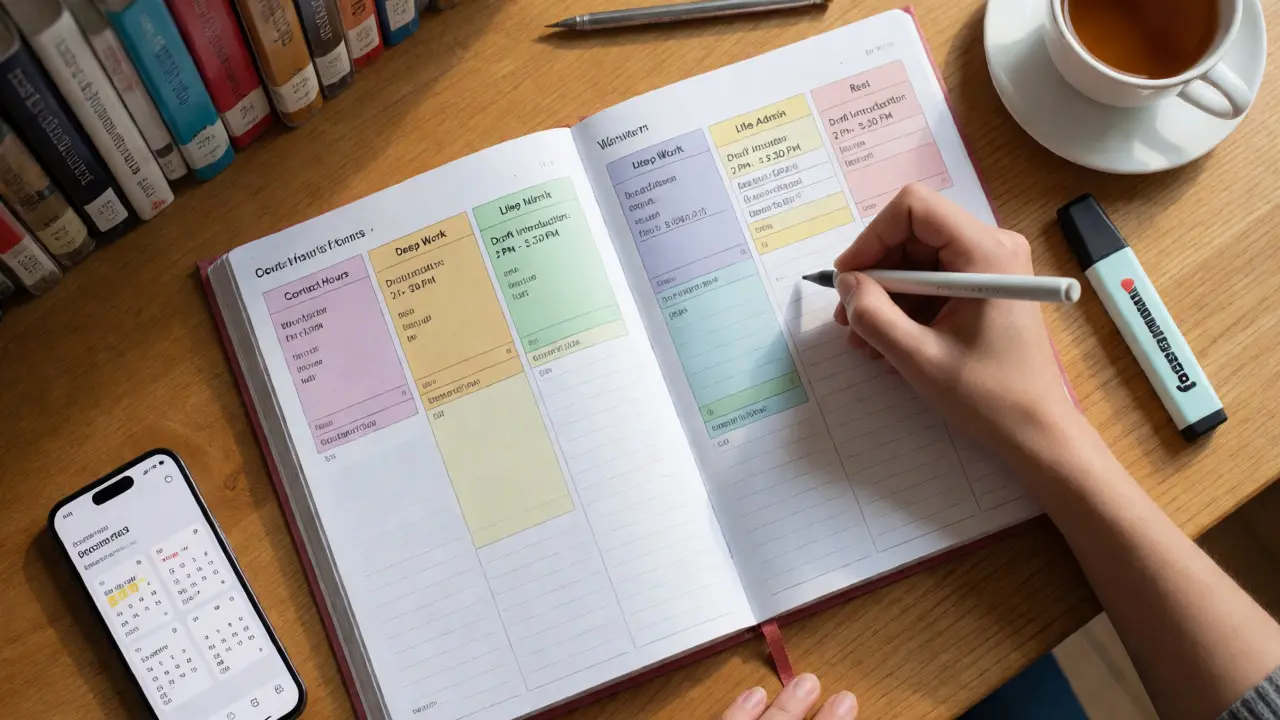
Digital vs. Analog: Choosing Your Tool
There’s no single "best" tool. It depends on how your brain processes information. Some students need the tactile feedback of writing; others need automated reminders.
| Feature | Paper Planner (e.g., Bullet Journal) | Digital Calendar (e.g., Google Calendar) | Hybrid Approach |
|---|---|---|---|
| Portability | Low (can forget it) | High (on phone always) | Medium |
| Flexibility | High (easy to redraw) | Medium (drag-and-drop) | High |
| Reminders | None | Automatic notifications | Calendar alerts + physical checklist |
| Best For | Visual thinkers, minimalists | Busy schedules, multiple devices | Students who need both structure and freedom |
If you choose digital, integrate your university timetable directly. Most UK universities allow ICS file exports for timetables. Import this into your main calendar so lectures appear automatically. Then, layer your study blocks on top. This prevents double-booking and gives you a clear visual of your available hours.
Common Pitfalls and How to Avoid Them
Even with a great template, students often stumble. Recognizing these traps early saves you weeks of frustration.
The Over-Scheduling Trap: You feel motivated on Sunday and schedule 8 hours of study. By Wednesday, you’re exhausted and quit. Be realistic. If you normally manage 4 hours of focused work, schedule 4.5. Gradual increase beats sudden collapse.
Ignoring Transition Times: Moving from lecture hall to library takes 15 minutes. Getting ready for a gym session takes another 20. If you book back-to-back blocks without travel or prep time, you’re always late or stressed. Always pad your blocks.
Perfectionism in Planning: Spending two hours designing the perfect aesthetic planner is procrastination in disguise. Your plan doesn’t need to be pretty; it needs to be functional. A messy sheet of paper with clear time slots is better than a blank, beautiful notebook.

Adapting for Exam Periods and Dissertations
Standard weekly planning shifts during high-stakes periods. When exams approach or you’re working on a dissertation, your priorities change.
During exam season, switch from "task-based" blocks to "topic-based" blocks. Instead of "Study Biology," schedule "Cellular Respiration Revision: 10 AM - 11 AM." This forces specificity and ensures coverage across all modules. Use the Pomodoro technique (25 minutes work, 5 minutes break) within these blocks to maintain intensity without burnout.
For dissertations, which span months, break the project into weekly milestones. One week might be "Literature Review Drafting," the next "Data Collection." Treat each milestone as a mini-deadline. This makes the massive project feel manageable and provides regular dopamine hits from completing small goals.
Key Takeaways for Immediate Action
- Start Small: Don’t overhaul your life today. Try time-blocking just one day this week.
- Review Weekly: Spend 15 minutes on Friday afternoon reviewing what worked and what didn’t. Adjust next week’s plan accordingly.
- Protect Sleep: Never sacrifice sleep for extra study time. Cognitive function drops significantly after less than 7 hours of rest.
- Use Buffers: Leave empty space in your schedule for the unexpected.
Weekly planning isn’t about restricting freedom. It’s about creating the structure that allows freedom to exist. When you know exactly when you’ll work, you can guilt-free enjoy your downtime. For UK students navigating a demanding academic landscape, this shift from reactive chaos to proactive design is the ultimate stress killer.
How much time should I spend planning my week?
Aim for 20-30 minutes per week. Doing this on Sunday evening or Monday morning sets the tone for the week. If you find yourself spending more than an hour, you’re likely over-complicating the process. Keep it simple: list fixed events, identify key tasks, and assign time slots.
What is the best app for student time-blocking?
Google Calendar is highly recommended for its simplicity and integration with university timetables. For task management alongside time-blocking, Todoist or Microsoft To Do work well. Some students prefer specialized apps like Notion for custom dashboards, but these have a steeper learning curve. Choose the tool you will actually use daily.
How do I handle unexpected changes to my schedule?
This is why buffer zones are crucial. If a planned block gets disrupted, move the task to the nearest buffer slot. If buffers are full, drop the lowest-priority task for the day rather than trying to cram everything in. Flexibility is part of the strategy, not a failure of it.
Is time-blocking suitable for creative subjects like Art or English?
Yes, but adapt the duration. Creative flow states may require longer blocks (e.g., 2-3 hours) rather than short 45-minute intervals. However, still set a start and end time to prevent losing track of time entirely. Use the end of the block to step away and reset, even if you’re "in the zone," to avoid fatigue later.
What if I miss a time block?
Don’t scrap the whole plan. Acknowledge the slip, learn from why it happened (was the task too big? was I distracted?), and resume with the next scheduled block. Consistency matters more than perfection. Missing one block out of ten is a 90% success rate, which is excellent.